Freelance Invoice Template: The Complete Guide with Free Examples & Formats (2026)
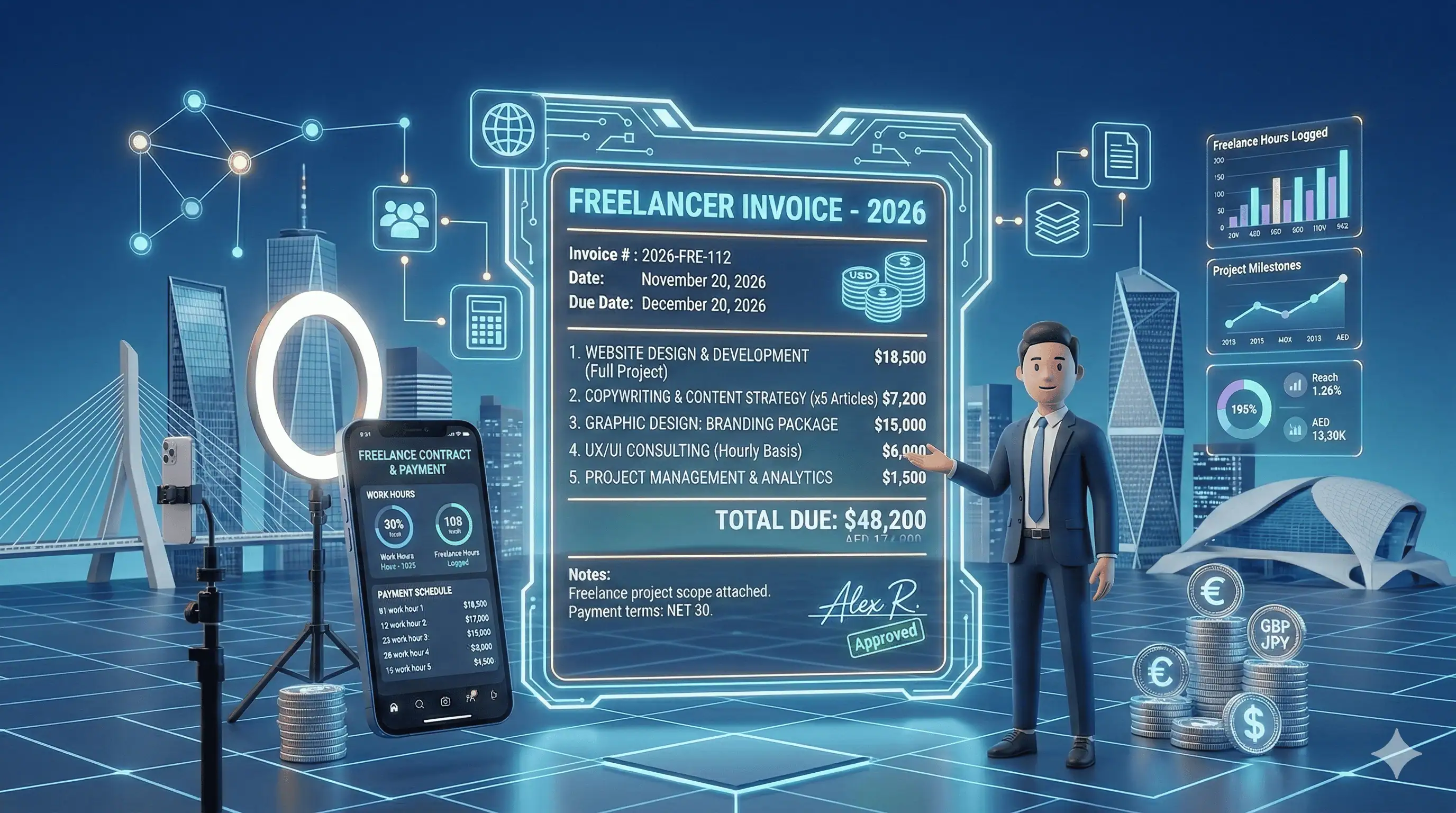
Creating a professional freelance invoice shouldn't be complicated. Whether you're a writer, designer, developer, or consultant, this comprehensive guide gives you everything you need: free templates, real-world examples, the perfect invoice format, and recommendations for the best invoicing software for freelancers.
We've helped thousands of freelancers get paid faster with professional invoices. In this guide, we're sharing exactly what works—including downloadable templates and step-by-step instructions for creating invoices that clients actually pay on time.
What is a Freelance Invoice?
A freelance invoice is a formal document that freelancers send to clients requesting payment for completed work. Unlike employee pay stubs, a freelancer invoice is created by you—the independent contractor—and serves as both a payment request and a legal record of the transaction.
Every professional freelance invoice should accomplish three things:
- Request payment clearly — State exactly how much is owed and when it's due
- Document the work — Describe services rendered for both parties' records
- Maintain professionalism — Reinforce your brand and business credibility
The difference between freelancers who get paid on time and those who constantly chase payments often comes down to one thing: the quality and clarity of their invoices.
Free Freelance Invoice Template
Below is a professional freelance invoice template that you can adapt for any type of freelance work. This template includes all essential elements and follows best practices used by successful freelancers worldwide.
Sample Freelance Invoice Template
═══════════════════════════════════════════════════════════════
                         INVOICE
═══════════════════════════════════════════════════════════════

FROM:                               INVOICE DETAILS:
[Your Name/Business Name]           Invoice #: INV-2026-001
[Your Address]                      Date: February 27, 2026
[City, State ZIP]                   Due Date: March 29, 2026
[Email Address]                     Payment Terms: Net 30
[Phone Number]

BILL TO:
[Client Name]
[Client Company]
[Client Address]
[City, State ZIP]

═══════════════════════════════════════════════════════════════
DESCRIPTION                              QTY    RATE    AMOUNT
═══════════════════════════════════════════════════════════════

Website Redesign - Homepage              1    $1,500   $1,500.00
Website Redesign - About Page            1      $800     $800.00
Custom Logo Design                       1      $500     $500.00
Revisions (2 rounds included)            2       $0       $0.00

═══════════════════════════════════════════════════════════════
                                    SUBTOTAL:         $2,800.00
                                    TAX (0%):             $0.00
                                    ─────────────────────────────
                                    TOTAL DUE:        $2,800.00
═══════════════════════════════════════════════════════════════

PAYMENT METHODS:
• Bank Transfer: [Bank Name], Account: XXXX-XXXX-XXXX
• PayPal: [email protected]
• Wise: [email protected]

NOTES:
Thank you for your business! Payment is due within 30 days.
Late payments may incur a 1.5% monthly fee.

═══════════════════════════════════════════════════════════════
This freelancer invoice template works for most freelance situations. However, you should customize it based on your specific industry, tax requirements, and client preferences.
Skip the Template — Create Professional Invoices in Seconds
Why spend time formatting documents when you can generate beautiful, professional invoices instantly? Try Freelancer Fatura free and create your first invoice in under 60 seconds.
The Perfect Freelancer Invoice Format
Understanding the correct freelancer invoice format is crucial for getting paid promptly. A well-structured invoice eliminates confusion and makes it easy for clients to process your payment.
Essential Elements of Every Freelance Invoice Format
Your freelance invoice format must include these elements:
1. Header Information
- The word "INVOICE" — Clearly visible at the top
- Your business name/logo — Establishes professionalism
- Invoice number — Unique identifier (e.g., INV-2026-001)
- Invoice date — When the invoice was created
- Due date — When payment is expected
2. Contact Information
- Your details — Name, address, email, phone
- Client details — Name, company, address
- Tax ID — If applicable in your jurisdiction
3. Service Details
- Description — Clear explanation of work performed
- Quantity — Hours, units, or deliverables
- Rate — Your hourly rate or project price
- Line total — Amount for each service line
4. Payment Information
- Subtotal — Sum before taxes
- Taxes — VAT, sales tax, or other applicable taxes
- Total amount due — The final amount owed
- Payment methods — How clients can pay you
- Payment terms — Net 15, Net 30, Due on Receipt, etc.
Invoice Numbering Systems
A consistent invoice numbering system helps you stay organized and looks professional. Here are popular formats:
- Sequential: INV-001, INV-002, INV-003
- Date-based: INV-2026-02-001 (Year-Month-Number)
- Client-based: ABC-001, ABC-002 (Client initials + number)
- Project-based: WEB-001, LOGO-001 (Project type + number)
Choose a system and stick with it. Changing numbering systems mid-year creates confusion for both you and your accountant.
Freelance Invoice Examples by Industry
Different types of freelance work require slightly different invoice approaches. Here are freelance invoice examples tailored to specific industries:
Sample Freelance Invoice: Graphic Designer
INVOICE #: DES-2026-015
Date: February 27, 2026
Due: March 14, 2026 (Net 15)

BILL TO: TechStart Inc.

DESCRIPTION                              QTY    RATE    AMOUNT
─────────────────────────────────────────────────────────────
Brand Identity Package
  - Logo Design (3 concepts)              1   $1,200   $1,200
  - Business Card Design                  1     $300     $300
  - Letterhead Design                     1     $250     $250
  - Brand Guidelines Document             1     $400     $400

Additional Revisions (beyond 2 rounds)    3     $75      $225

─────────────────────────────────────────────────────────────
                                    TOTAL:            $2,375
Sample Freelance Invoice: Web Developer
INVOICE #: DEV-2026-008
Date: February 27, 2026
Due: March 29, 2026 (Net 30)

BILL TO: Johnson & Associates LLC

DESCRIPTION                              HRS    RATE    AMOUNT
─────────────────────────────────────────────────────────────
WordPress Website Development
  - Discovery & Planning                  8    $125    $1,000
  - Custom Theme Development             24    $125    $3,000
  - Plugin Integration & Setup            8    $125    $1,000
  - Content Migration                     6    $125      $750
  - Testing & QA                          4    $125      $500
  - Training Session (2 hours)            2    $125      $250

Hosting Setup (Annual)                    1    $200      $200

─────────────────────────────────────────────────────────────
                                    SUBTOTAL:         $6,700
                                    DISCOUNT (10%):    -$670
                                    TOTAL DUE:        $6,030
Sample Freelance Invoice: Marketing Consultant
INVOICE #: MKT-2026-022
Date: February 27, 2026
Due: March 14, 2026 (Net 15)

BILL TO: GrowFast Startup

DESCRIPTION                              QTY    RATE    AMOUNT
─────────────────────────────────────────────────────────────
Monthly Marketing Retainer - February 2026
  - Strategy Consulting (10 hrs)         10    $200    $2,000
  - Campaign Management                   1  $1,500    $1,500
  - Analytics & Reporting                 1    $500      $500
  - Ad Spend Management (15% of spend)    -       -      $450

─────────────────────────────────────────────────────────────
                                    TOTAL:            $4,450
Freelance Writer Invoice Template
Writers have unique invoicing needs. A freelance writer invoice template should clearly specify word counts, article types, and revision policies. Here's a specialized freelance writing invoice template:
═══════════════════════════════════════════════════════════════
              FREELANCE WRITING INVOICE
═══════════════════════════════════════════════════════════════

FROM: [Your Name], Freelance Writer
Email: [email protected]
Website: yourwritingsite.com

INVOICE #: WRT-2026-047
Date: February 27, 2026
Due Date: March 14, 2026

BILL TO:
Content Marketing Agency
123 Business Street
New York, NY 10001

═══════════════════════════════════════════════════════════════
WRITING SERVICES                    WORDS   RATE/WORD   AMOUNT
═══════════════════════════════════════════════════════════════

Blog Post: "10 SEO Tips for 2026"   2,500     $0.15     $375.00
Blog Post: "Email Marketing Guide"  3,000     $0.15     $450.00
Product Description x 10            1,500     $0.20     $300.00
Social Media Copy (20 posts)          800     $0.25     $200.00

═══════════════════════════════════════════════════════════════
ADDITIONAL SERVICES                              QTY     AMOUNT
═══════════════════════════════════════════════════════════════

Rush Delivery Fee (48-hour turnaround)            1     $100.00
SEO Keyword Research & Integration                2      $50.00

═══════════════════════════════════════════════════════════════
                                    SUBTOTAL:         $1,475.00
                                    TAX (0%):             $0.00
                                    ─────────────────────────────
                                    TOTAL DUE:        $1,475.00
═══════════════════════════════════════════════════════════════

PAYMENT:
PayPal: [email protected]
Bank Transfer: Available upon request

TERMS:
• Payment due within 14 days
• Revisions: 2 rounds included per piece
• Rush fees apply for turnaround under 72 hours
• Kill fee: 50% if project cancelled after assignment

═══════════════════════════════════════════════════════════════
Tips for Freelance Writer Invoices
- Specify word counts — Always list the word count for each piece
- Include revision terms — State how many revisions are included
- Add rush fees — Charge extra for tight deadlines
- Note kill fees — Protect yourself from cancelled projects
- Track by article — List each piece separately for clear records
How to Invoice as a Freelancer: Step-by-Step Guide
Learning how to invoice as a freelancer is essential for running a successful freelance business. Follow these steps to create and send professional invoices:
Step 1: Gather Project Information
Before creating your invoice, collect:
- Client's full legal name and business address
- Project scope and deliverables completed
- Agreed-upon rates (hourly, project-based, or per-word)
- Any additional expenses to be reimbursed
- Payment terms from your contract
Step 2: Choose Your Invoice Method
You have several options for creating invoices:
| Method | Pros | Cons |
|---|---|---|
| Word/Google Docs | Free, flexible | Time-consuming, no tracking, unprofessional |
| Excel/Sheets | Free, can calculate totals | Manual work, no automation |
| PDF Templates | Professional look | Hard to edit, no tracking |
| Invoicing Software | Fast, professional, automated, trackable | May have costs (though many are free) |
Step 3: Create the Invoice
Using your chosen method, create an invoice with all essential elements:
- Add your header and branding
- Generate a unique invoice number
- Enter client information
- List all services with descriptions, quantities, and rates
- Calculate subtotals, taxes, and total
- Add payment methods and terms
- Include any notes or special instructions
Step 4: Review Before Sending
Always double-check your invoice for:
- Correct client name and address
- Accurate service descriptions
- Math errors in calculations
- Correct payment details
- Professional appearance
Step 5: Send and Track
Send your invoice via email with a brief, professional message:
Subject: Invoice #INV-2026-001 from [Your Name] - [Project Name]
Hi [Client Name],
Please find attached invoice #INV-2026-001 for [brief project description]. The total amount of $X,XXX is due by [due date].
Payment can be made via [payment methods]. Please let me know if you have any questions.
Thank you for your business!
[Your Name]
Step 6: Follow Up on Unpaid Invoices
If payment doesn't arrive by the due date:
- Day 1 overdue: Send a friendly reminder
- Day 7 overdue: Follow up with a phone call or direct message
- Day 14 overdue: Send a formal past-due notice
- Day 30+ overdue: Consider late fees or collection measures
Best Invoicing Software for Freelancers
The right invoicing software for freelancers can save hours every month and help you get paid faster. Here's what to look for and our top recommendations:
Essential Features in Freelance Invoicing Software
- Professional templates — Create beautiful invoices in seconds
- Automatic calculations — No more math errors
- Client management — Store client info for repeat invoicing
- Payment tracking — See paid, pending, and overdue at a glance
- Automatic reminders — Never manually chase payments again
- Multiple payment methods — Accept bank transfers, cards, PayPal
- Tax support — Handle VAT, sales tax, and other taxes
- Multi-currency — Invoice international clients in their currency
- Mobile access — Create invoices anywhere
- Reporting — Track income, outstanding payments, and trends
Top Invoicing Software Options for Freelancers
1. Freelancer Fatura (Best for AI-Powered & Multilingual Invoicing)
Price: Free tier available, Pro from $19/month
Best for: Freelancers who need AI-powered invoice creation, multilingual support, and VAT compliance
Key features:
- AI-powered invoice creation from natural language
- Multilingual invoice support
- Automatic VAT/tax calculation
- Client management
- Professional PDF generation
- Email delivery built-in
2. Wave (Best Free Option)
Price: Free
Best for: Budget-conscious freelancers in North America
Limitations: Limited customization, US/Canada focused
3. FreshBooks (Best for Service-Based Freelancers)
Price: From $17/month
Best for: Freelancers who need time tracking and project management
Limitations: Can get expensive, client limits on lower tiers
4. QuickBooks Self-Employed (Best for Tax Tracking)
Price: From $15/month
Best for: US freelancers who need tax deduction tracking
Limitations: Primarily US-focused, limited international features
Try Freelancer Fatura Free
Create professional invoices in seconds with AI-powered automation. Free for up to 5 invoices, no credit card required.
Freelance Billing Best Practices
A solid freelance billing process goes beyond just creating invoices. Here are best practices to maximize your cash flow:
1. Set Clear Payment Terms Upfront
Before starting any project, establish:
- Your rates (hourly, project, or retainer)
- Payment schedule (deposits, milestones, final payment)
- Due dates and late payment policies
- Accepted payment methods
2. Use a Freelance Billing Invoice Template Consistently
Create a standard freelance billing invoice template and use it for every client. Consistency:
- Saves time on invoice creation
- Builds brand recognition
- Reduces errors
- Makes record-keeping easier
3. Invoice Immediately Upon Completion
Don't wait to invoice. Studies show invoices sent within 24 hours of project completion are paid significantly faster than those sent weeks later.
4. Make Payment Easy
Offer multiple payment options:
- Bank transfer (include full details)
- PayPal or other digital wallets
- Credit/debit cards
- International options like Wise for overseas clients
5. Require Deposits for New Clients
Protect yourself by requiring upfront payment:
- Small projects: 50-100% upfront
- Medium projects: 50% deposit
- Large projects: 30% deposit + milestone payments
6. Send Reminders (Automatically)
Don't rely on memory. Use invoicing software that sends automatic reminders:
- 3 days before due date
- On the due date
- 3 days after due date
- Weekly for overdue invoices
7. Track Everything
Maintain records of:
- All sent invoices
- Payment dates
- Outstanding amounts
- Client payment history
Frequently Asked Questions About Freelance Invoices
What should be included in a freelance invoice?
Every freelance invoice should include: your contact information, client details, unique invoice number, invoice date, due date, itemized list of services with descriptions and amounts, subtotal, taxes (if applicable), total amount due, payment methods, and payment terms.
How do I create a freelance invoice template?
You can create a freelance invoice template using Word, Excel, Google Docs, or dedicated invoicing software. Include your logo, contact information, and standard sections for client details, services, and payment information. Save it as a template to reuse for each new invoice.
What's the best invoice format for freelancers?
The best freelancer invoice format is clean, professional, and includes all essential information. Use a clear header, organized sections for your details and client details, itemized services with descriptions, and prominent payment information. PDF format is preferred for sending to clients.
When should I send a freelance invoice?
Send your invoice immediately upon completing the work—ideally within 24 hours. For ongoing projects, invoice at agreed-upon milestones or on a regular schedule (weekly, bi-weekly, or monthly). Never wait until the end of the month to batch invoices.
What payment terms should freelancers use?
Common freelance payment terms include:
- Due on Receipt: For small projects or new clients
- Net 15: Payment due within 15 days
- Net 30: Payment due within 30 days (most common)
- 50% Deposit: Half upfront, half on completion
How do I handle late payments as a freelancer?
Start with a friendly reminder on the due date. Follow up every few days with increasingly firm messages. Consider implementing late payment fees (stated in your contract) and pause any ongoing work until payment is received. For seriously overdue invoices, consider mediation or legal action.
Should I charge sales tax on freelance invoices?
This depends on your location and the type of services you provide. In many jurisdictions, services are not taxed, but physical products are. If you're VAT-registered, you may need to charge VAT on your invoices. Consult with a tax professional for your specific situation.
What's the best free invoicing software for freelancers?
Several options offer free tiers: Wave (completely free for invoicing), Freelancer Fatura (free for up to 5 invoices), and PayPal Business (free invoicing with payment processing). For most freelancers just starting out, these free options provide all necessary features.
How do I invoice international clients?
When invoicing international clients: use their local currency when possible, clearly state the currency on your invoice, consider exchange rate fluctuations in your pricing, and offer international payment methods like Wise, PayPal, or international bank transfers. Include your SWIFT/BIC code for wire transfers.
Can I invoice without a business license?
Yes, in most places you can invoice clients as a sole proprietor or individual without a formal business license. However, you still need to report this income for tax purposes. Some jurisdictions may require registration above certain income thresholds. Check your local regulations.
Conclusion: Your Freelance Invoice Checklist
Creating professional freelance invoices isn't complicated once you have the right system in place. Here's your quick reference checklist:
Freelance Invoice Checklist
- ☐ Clear "INVOICE" header
- ☐ Unique invoice number
- ☐ Your name/business and contact info
- ☐ Client name and address
- ☐ Invoice date
- ☐ Due date
- ☐ Itemized services with descriptions
- ☐ Quantities and rates
- ☐ Subtotal
- ☐ Taxes (if applicable)
- ☐ Total amount due
- ☐ Payment methods
- ☐ Payment terms
- ☐ Professional formatting
Remember: the goal of your invoice isn't just to request payment—it's to make payment as easy and obvious as possible for your client. A clear, professional invoice reflects the quality of your work and helps you get paid faster.
Ready to simplify your invoicing? Create your free Freelancer Fatura account and generate professional invoices in seconds. With AI-powered invoice creation, automatic reminders, and beautiful templates, you can focus on what you do best—your actual freelance work.